
How to use hardware effects & pedals latency-free as plug-ins in your DAW
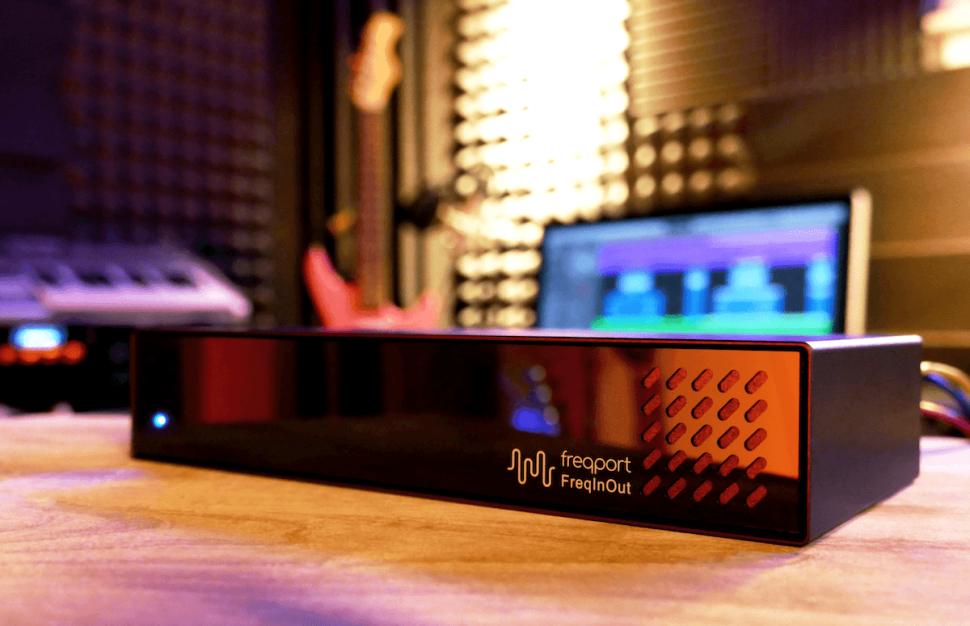
Let‘s clear up something right off the bat: Although the FreqInOut FO1 looks like an audio interface, it isn‘t one - despite having four inputs and four outputs. The connections are designed to integrate external gear into your DAW without having to set up complicated routing beforehand or relying on rigid configurations. Once the devices are connected, each one can be inserted as a plug-in – either individually or as a set of four – at any point in the DAW. So, should the EQ come before or after the compressor? Just drag and drop it into the right spot. Would you rather route the send effect to an external reverb instead of a tape echo? All it takes is two mouse clicks.
The Update
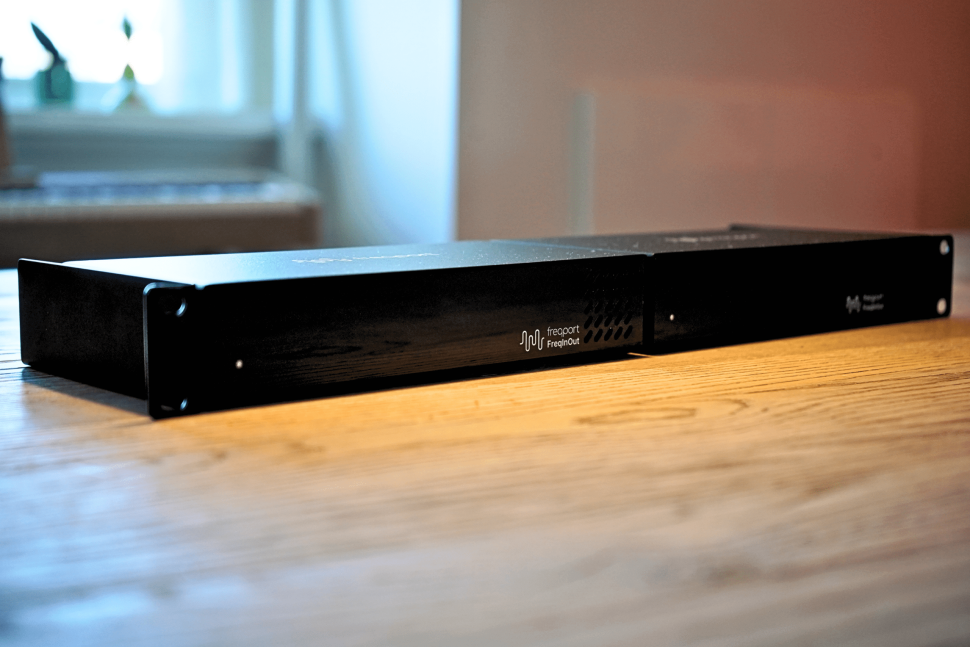
You can find details on how the FO1 works below, where we’ve included a few excerpts from Sascha’s review of the FreqInOut. The features of each unit remain the same. The two main differences from the FO1_RK2 are the rack-mount enclosure, which can hold two FO1 units.
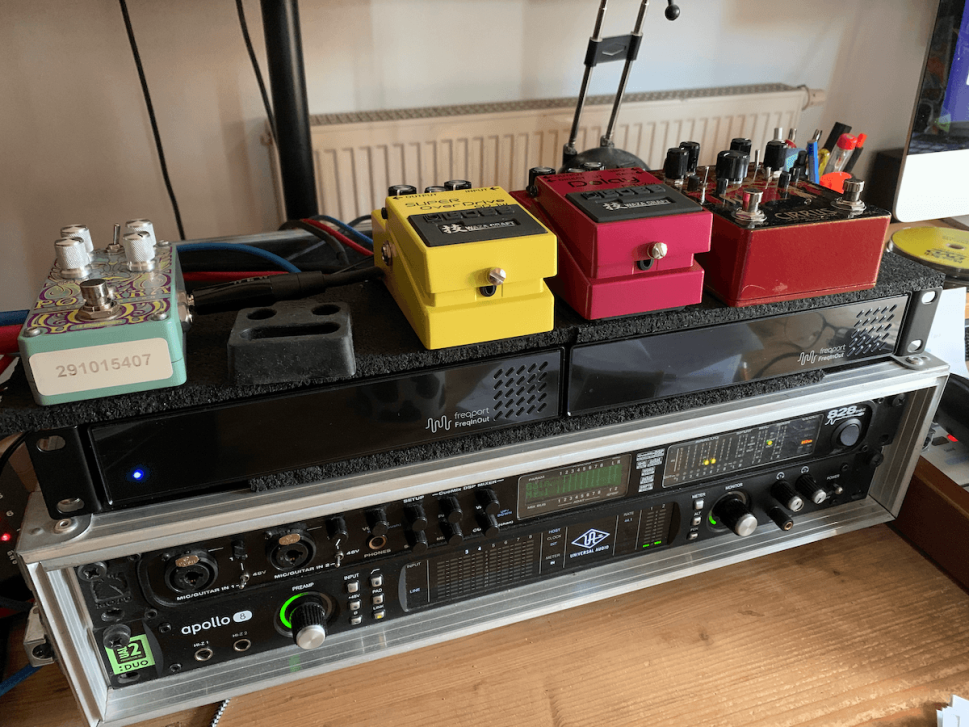
The key difference from an audio interface: The big question we asked ourselves before our first encounter with the FO1 was: “Why do I even need something like this? I can handle the routing just as well with my audio interface and use it to connect my hardware to my DAW.”
That‘s correct – for the most part. External gear can be connected to your audio interface and integrated into Ableton Live, for example, using the “External Audio Effect” device. For users of other DAWs, however, this kind of routing is a bit of a nightmare; and once you add two stereo units, at the very least, you‘ll start running out of available channels on your audio interface – even for live performers.
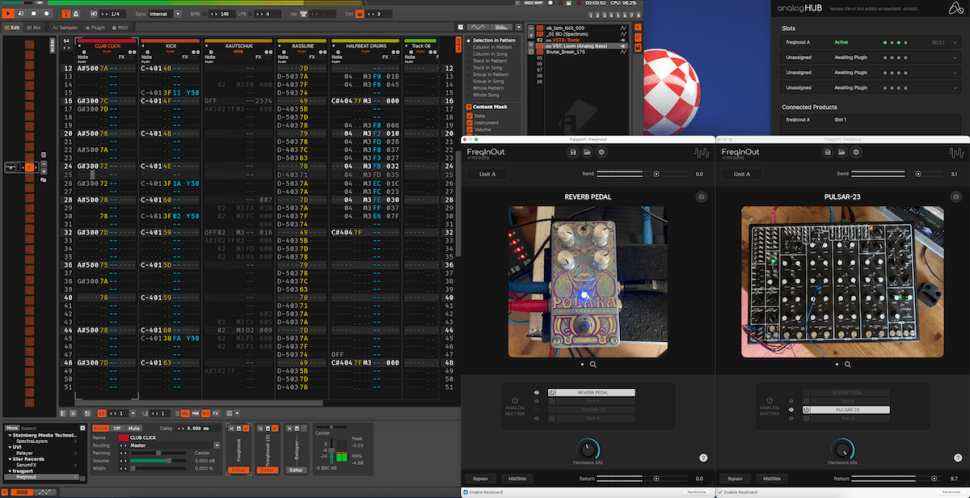
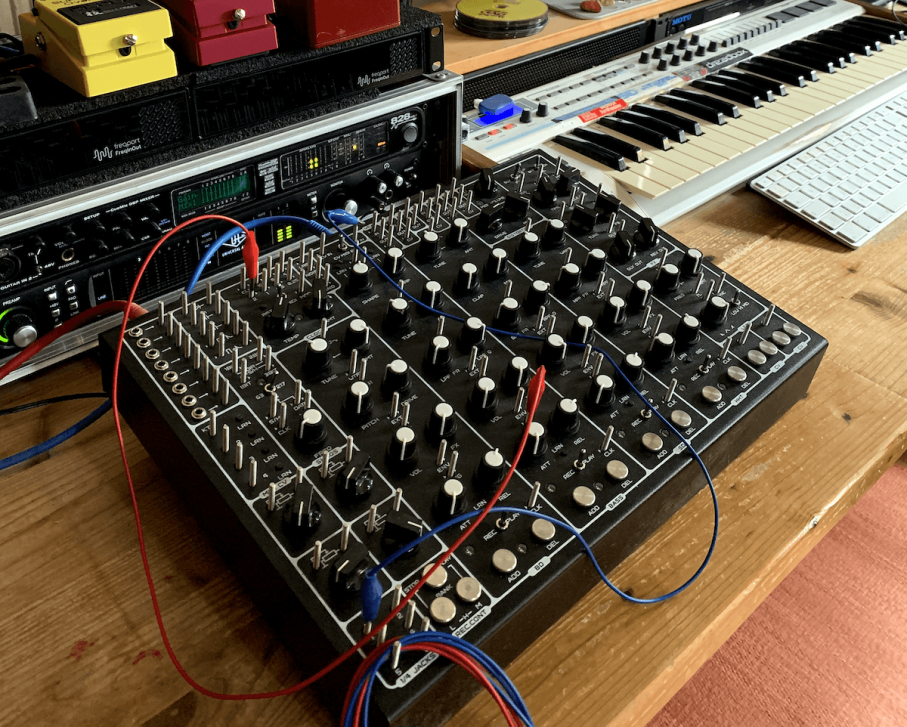
FreqInOut is unaffected by this: Up to four devices can be daisy-chained, providing a total of 16 (!) additional inputs and outputs, regardless of the audio interface and any limitations of the USB and ADAT interfaces. Management is handled entirely through the FreqPort plug-in, so users of all DAWs can benefit from it. As shown in one of the photos, you can even connect synths and pedals to the Renoise tracker using it. Admittedly, it probably doesn‘t get any more niche than this, but it works! To make it easier to visualize, you‘ll find a brief overview of possible scenarios below.
Possible scenarios to include external hardware into your DAW
- Incorporating Guitar Effects: Probably one of the most obvious uses: You can connect up to four mono pedals to an FO1 and arrange them in any order in the accompanying plug-in. Perfect for re-amping, because while recording, you can operate the pedals as usual, but the guitar is recorded dry.
- Flexibly Integrate Outboard Gear: Ultimately, it‘s a scenario similar to that of the Pedals, but with a greater focus on the flexible integration of external equalizers, compressors, and reverbs. The former can be easily integrated via parallel processing, and the latter can be used as send effects without the hassle of complicated wiring.
- Using Plug-ins with Hardware Effects: The other way around: When was the last time you ran a soft synth through a distortion pedal? You have the best hardware in the studio, but often you still end up tinkering and creating “in the box.” Thanks to this simple integration, the outboard gear becomes available as a plug-in and can be used alongside software synthesizers.
- Using a Hardware Synth as an effect: Let‘s look at it from a completely different angle: A surprising number of hardware synthesizers have an audio input, but it usually goes unused or is only used to connect other hardware. With the FO1, you can easily change that. And who knows – maybe there‘s a mega-vocoder just waiting to be discovered in one of your synths?
Verdict
By the way, we won‘t be re-rating this update, since nothing has changed in terms of FO1‘s functionality and, therefore, our assessment remains the same. If you‘re planning to buy several FO1s anyway, the RK2 Edition offers a rugged version with two pre-installed units that can be used exactly the same way as two individual ones.
Test: FreqPort FreqInOut FO1
With this simple, black box (220 W x 105 D x 43 H mm), FreqPort is truly filling a gap in the market. It has never been easier to integrate external compressors, reverbs, delays, or even synthesizers and drum machines into a DAW. Essentially, the FreqInOut FO1 simply expands the audio interface with additional channels and a patchbay. The device connects via USB-C and is powered through the USB port; alternatively, an optional power adapter can be used. Four inputs and outputs are available – as four mono channels, two stereo channels, or a combination of mono and stereo. Four units can be cascaded, resulting in a total of 16 channels.
Highly flexible
On the hardware side, you connect your devices using a standard 6.3 mm jack, just like in any effects loop. On the software side, you install the appropriate plugin (VST3 or AU). In the plugin, you can select and name the channels and, if desired, enable the stereo link. The analog equipment is then immediately available in the plugin slot. The gain controls for input and output levels are particularly useful; they allow you, for example, to set a compressor to start at a higher level in a targeted manner. In addition, the plug-in lets you adjust the mix ratio for parallel effects and perform mid-side processing. The FreqInOut FO1 can be applied to both individual channels and buses.
The only limitation on its use is that each hardware device can only be opened once – but that’s to be expected given the nature of hardware. Another highlight is the ability to change the order of the connected devices in the plugin using drag-&-drop, without having to reconnect any cables. This makes it possible, for example, to adjust the order of the EQ and compressor in just one second.
Completely latency-free
In addition to its ease of use, the device offers impressive latency-free signal processing. Anyone who has ever tried to manually compensate for latency in external effects within a DAW will certainly appreciate this advantage. Another cool feature is the ability to upload images via QR code. After scanning the code, you can upload a photo of the connected hardware, taken with your phone, which will then appear as a custom skin in the plug-in. This helps reproduce settings for future sessions, since, of course, “Total Recall” isn’t possible with hardware. A magnifying glass makes it even easier to see the details. Digital parameters such as the name, channel settings, and the display are automatically saved along with the session in the DAW and in the device.
High-quality conversion
The FreqInOut FO1 also delivers impressive sound quality: The converters operate at 32 bits and a sample rate of 192 kHz, with high-quality ESS digital converters ensuring excellent signal quality. The only thing to keep in mind is that when using external hardware, bouncing is only possible in real time – a logical consequence of how it works. “Bounce In Place” also did not work in Logic during our test. Here, you have to take a detour by way of a “proper” bounce. For the future, larger versions would be desirable, since eight channels are likely to be maxed out quickly in many studios; or integration into audio interfaces. The price of 599 euros is certainly not cheap, but it‘s definitely justified given the quality.
Verdict
The FO1 is a practical solution for anyone who wants to integrate hardware into a DAW, because using analog devices like a plug-in has never been easier. Its ease of use, flexible routing options, and latency-free processing are just as exemplary as its high-quality signal processing. The price might seem steep at first glance, but it‘s totally reasonable given the features, build quality, and the cost of alternative audio interfaces.
Features
- Integrates hardware as a Plugin
- 4 In/Outs (expandable to 16 with FO1_RK2)
- Custom Skins via QR Code
- Gain control for input/output
- Mix Ratio, Mid/Side
- 32 Bit / 192 kHz ESS converter
- VST3, AU
Facts
Manufacturer: FreqPort
Web: freqport.com
Distribution: Audiowerk
Prices: 499 Euro (FO1), 1,149 Euro (FO1_RK2)
Want more? Get more!


Subscribe to the digital edition of BEAT Magazine via Plugins-Samples.com and get more gear, in-depth workshops, reviews and 11 GB exclusive plugins and new sounds with every monthly issue!
Subscribe to Beat Magazine for only 4.99€ per month